 forms.app
Registration Form Template
All-purpose registration form with participant details, program selection, emergency contact, and consent signature.
Available online on
Download as
- Free PDF and Word downloads for offline use
- Fillable fields you can customize for your business
- Share a link or print copies for in-person sign-ups
- Ready-made online forms on popular form builders
Last updated July 17, 2026. Reviewed by the Online Form Templates team.
About this template
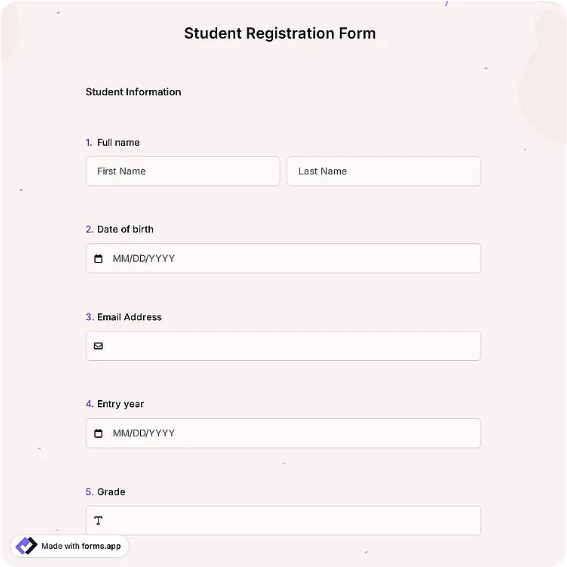
A Registration Form is the workhorse of sign-ups: one sheet that enrolls a person into a program, event, workshop, or activity with everything an organizer needs on file. The standard layout covers full name, date of birth, email, phone, mailing address, the program or session selected, an emergency contact with phone, medical or accessibility notes, and a dated signature confirming the registrant accepts the stated policies.
Community centers, workshops, sports leagues, and volunteer programs all reach for this format because it balances completeness with speed. A registrant can finish it in three or four minutes, yet the organizer ends up with identity, selection, safety, and consent captured in a single document.
How teams use this form day to day
Ahead of a program cycle, coordinators email the fillable Word file or post the online link so most people register early; a printed stack handles the inevitable day-one walk-ins. Completed forms are checked against capacity, entered into the roster, then filed alphabetically. The emergency contact block earns its place the first time a participant feels ill mid-session and staff can dial the right number in seconds.
For recurring programs, organizers keep last cycle's forms until the new cycle's are complete, which answers most "did I already register?" questions without a database.
Customize fields and branding
In the Word version, rename the program selection line to list your actual offerings with checkboxes, and adjust the consent sentence to reference your real policy documents, refunds, photo release, or code of conduct. Organizations serving minors should relabel the signature line for a parent or guardian. Fee-based programs often add an amount-paid and payment-method row so registration doubles as a payment record. The PDF stays fixed, ideal when volunteers with varying computer skills handle printing.
Whatever you add, keep it to one page. A registration form that spills onto page two gets returned half-complete.
Common mistakes to avoid
The most common failure is a consent line that says "I agree to the terms" without stating where the terms live; name the document or print the key policy on the form. Second is collecting medical information you cannot store securely; ask only what staff genuinely need on-site. Third, never rely on memory for capacity, mark each accepted form with a number so oversubscription surfaces immediately, not on day one.
Example scenario
A community art center opens fall enrollment with this form. Two hundred households register online over three weeks, and eighteen more fill in printed copies at the open house. The registrar numbers each accepted form, closes two full courses, and moves latecomers to a waitlist section noted at the top of the sheet. When a pottery student has an allergic reaction in week two, the emergency contact and medical note on file guide the response within a minute.
Choosing PDF, Word, or online
Print the PDF for registration tables and walk-in desks, where a clipboard beats a queue at a laptop. Use the fillable Word file as the version you adapt each season, then email it to registrants who prefer typing. The online links open a hosted registration template that writes submissions to a spreadsheet automatically, which is the least error-prone path once volume passes a few dozen sign-ups. Most organizations blend paper and online, then merge into one roster.
Typical fields
- Full name
- Date of birth
- Email address
- Phone number
- Mailing address
- Program / session selection
- Emergency contact name
- Emergency contact phone
- Medical / accessibility notes
- Signature and date
Best for
- Community program enrollment
- Workshop and seminar sign-ups
- Sports league registration
- Volunteer onboarding
When to use PDF vs online
Use the PDF or Word download for in-person sign-ups, fax, or email attachments. Choose an online form when you need automatic notifications, payment integrations, or a shareable link for customers.