 forms.app
Customer Satisfaction Survey Template
Short satisfaction survey with 1-5 rating rows, a 0-10 recommendation question, and open comment boxes.
Available online on
Download as
- Free PDF and Word downloads for offline use
- Fillable fields you can customize for your business
- Share a link or print copies for in-person sign-ups
- Ready-made online forms on popular form builders
Last updated July 17, 2026. Reviewed by the Online Form Templates team.
About this template
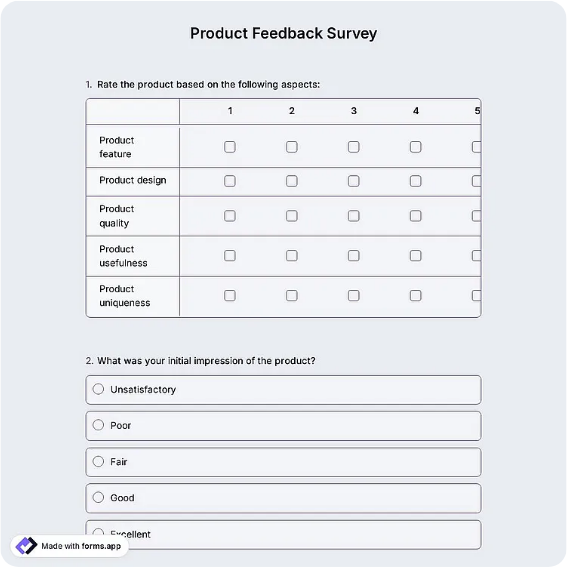
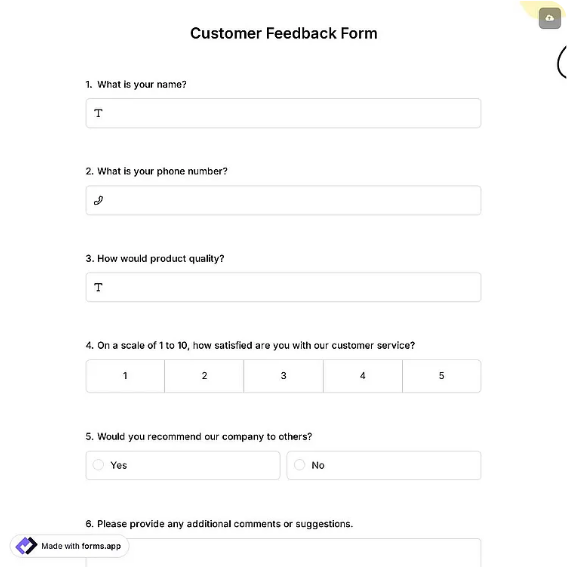
A Customer Satisfaction Survey measures how happy customers are right after a purchase, a support ticket, or a visit, while the experience is still fresh. This version keeps the question set deliberately short: optional respondent details, a date of visit or purchase, four rating statements scored 1 to 5 (overall satisfaction, product quality, staff friendliness, value for money), a 0-10 likelihood-to-recommend question, and two comment boxes for what went well and what needs work.
That mix suits retail counters, restaurants, service businesses following up after appointments, and support teams closing tickets. The rating design matters more than people expect: every statement uses the same 1-5 scale pointing the same direction, so you can average columns without translating answers, and the single 0-10 recommend question gives you a rough NPS-style number to track quarter over quarter.
How teams use this form day to day
Most shops hand the printed sheet over with the receipt or leave a small stack by the register with a pen and a drop box. Support and field-service teams attach the PDF to a closing email or send the online link once a job wraps up. Because the ratings sit in fixed rows, tallying a week of paper responses takes minutes: count the ticks per column, enter totals in a spreadsheet, and watch the averages.
The habit that makes the data useful is flagging outliers, not just averaging. Any sheet with a 1 or 2 on a rating row gets a same-week follow-up call. Customers who took time to score you low usually explain exactly what broke, and a quick call often saves the relationship.
Customize fields and branding
Open the Word download to rename the four rating statements to your actual touchpoints, for example swapping "Staff friendliness" for "Delivery speed" if you sell online. Add your logo above the title and a thank-you line in the footer. Keep the statement count at four or five; completion rates fall noticeably once a satisfaction survey runs past a single page.
The online version is worth using once volume grows, since scores average themselves and you can set an alert for any low rating instead of reading every submission.
Common mistakes to avoid
The classic error is mixing scale directions, where 1 means best on one question and worst on another, which quietly corrupts your averages. Also resist adding demographic questions to a satisfaction card; they lengthen the form without changing what you would fix. Finally, give the comment boxes specific prompts. "What could we improve?" earns far more usable answers than a box labeled "Comments".
Example scenario
A neighborhood café keeps a printed stack beside the register for a month and collects about sixty completed sheets. Overall satisfaction averages 4.4, but value for money sits at 3.1, and the comment boxes repeatedly mention combo pricing. The owner reworks the lunch bundle, reruns the same survey the next quarter, and watches the weak column climb, with proof the fix landed.
Choosing PDF, Word, or online
All three formats carry the same questions, so pick by channel. The fillable PDF works for counter stacks and clipboard moments with no Wi-Fi. The Word file is for editing statements or branding before you print. The online links open a hosted version on a trusted form builder when you want submissions scored, stored, and charted automatically. Many businesses run paper at the counter and the link in follow-up emails at the same time.
Typical fields
- Name (optional)
- Date of visit / purchase
- Overall satisfaction (1-5)
- Product quality (1-5)
- Staff friendliness (1-5)
- Value for money (1-5)
- Likelihood to recommend (0-10)
- What did we do well?
- What could we improve?
Best for
- Retail and restaurant counters
- Post-appointment service follow-ups
- Support ticket close-out surveys
- Hotel and hospitality checkouts
When to use PDF vs online
Use the PDF or Word download for in-person sign-ups, fax, or email attachments. Choose an online form when you need automatic notifications, payment integrations, or a shareable link for customers.