 forms.app
Membership Registration Form Template
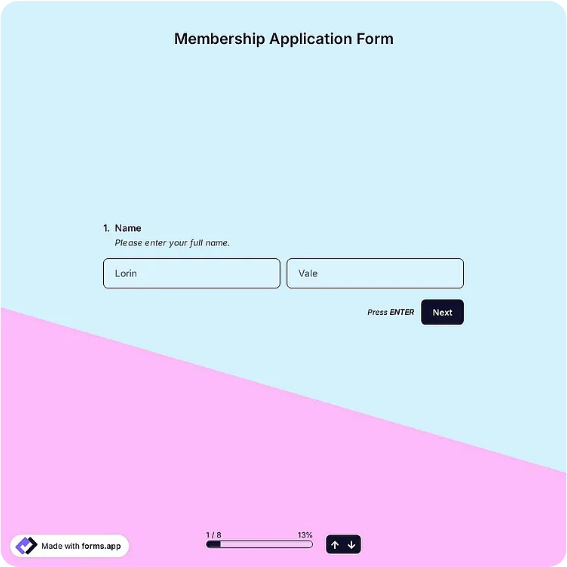
Member sign-up form with membership tier, billing details, interests, and agreement signature.
Available online on
Download as
- Free PDF and Word downloads for offline use
- Fillable fields you can customize for your business
- Share a link or print copies for in-person sign-ups
- Ready-made online forms on popular form builders
Last updated July 17, 2026. Reviewed by the Online Form Templates team.
About this template
A Membership Registration Form converts an interested visitor into a member on record, with everything a club or association needs to bill, contact, and involve them. The layout collects full name, email, phone, home address, date of birth, the membership type or tier selected, start date, payment method, areas of interest or committee preferences, an optional referring member, and a signature accepting the membership agreement.
Gyms, professional associations, hobby clubs, alumni groups, and nonprofits all run on this document. The tier and payment fields make it a billing record; the interests field makes it an engagement tool, telling organizers which events and committees each new member actually wants to hear about.
How teams use this form day to day
Front desks keep printed copies for people who decide to join on the spot after a tour or a first visit, while the online version handles website joins. A membership coordinator processes new forms weekly: setting up billing from the tier and payment fields, adding the member to the directory, and forwarding interest selections to committee chairs. The referring member field feeds many clubs' referral rewards without any extra tracking system.
At renewal time, the same form doubles as an update mechanism, members correct their address, change tiers, or add interests, keeping the roster current year over year.
Customize fields and branding
In the fillable Word file, name your real tiers with prices, individual, family, student, corporate, so members self-select accurately. Associations often add a professional credentials line; gyms add a health acknowledgment; nonprofits add an optional donation row. The agreement sentence above the signature should cite your actual bylaws or terms document by name. Keep the printed PDF generic enough to survive a year of photocopying, and put seasonal promotions on a separate insert instead.
If dues vary by start month, print a small proration table in the footer; it answers the most common front-desk question before it is asked.
Common mistakes to avoid
Listing tiers without prices is the top mistake, it forces a conversation that stalls sign-ups and produces forms with the tier left blank. Second, collecting full card numbers on paper creates a security liability; record the payment method and process the charge through your regular system instead. Third, do not skip the start date, since membership disputes are almost always really proration disputes.
Example scenario
A rowing club holds its spring open day. After taster sessions, eleven visitors complete printed membership forms, choosing between full and social tiers and ticking interests like racing, coaching, or social events. The membership secretary sets up dues that evening, emails welcome packs, and passes six racing-interested names to the squad captain. Two joiners named their referring member, who each earn a guest pass under the club's referral scheme.
Choosing PDF, Word, or online
Print the PDF for tours, open days, and the front desk, moments when enthusiasm is highest and a paper form closes the join immediately. The Word download is the copy you revise when tiers or terms change. The hosted online links open a live membership template suited to website joins, where submissions arrive structured and billing setup starts the same day. Clubs commonly run both and reconcile into one member database each week.
Typical fields
- Full name
- Email address
- Phone number
- Home address
- Date of birth
- Membership type / tier
- Start date
- Payment method
- Areas of interest
- Signature and date
Best for
- Club and association joins
- Gym and fitness memberships
- Alumni and professional groups
- Nonprofit supporter programs
When to use PDF vs online
Use the PDF or Word download for in-person sign-ups, fax, or email attachments. Choose an online form when you need automatic notifications, payment integrations, or a shareable link for customers.