 forms.app
Customer Feedback Form Template
Transaction-tied customer feedback form with satisfaction rating, resolution check, and contact permission.
Available online on
Download as
- Free PDF and Word downloads for offline use
- Fillable fields you can customize for your business
- Share a link or print copies for in-person sign-ups
- Ready-made online forms on popular form builders
Last updated July 17, 2026. Reviewed by the Online Form Templates team.
About this template
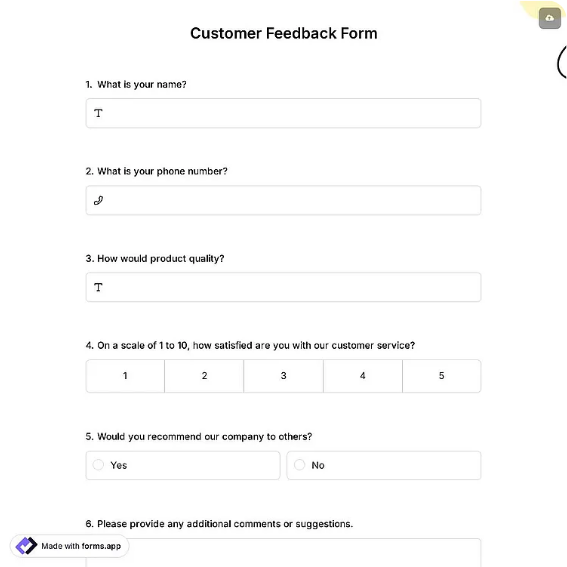
A Customer Feedback Form ties a customer's comments to one specific purchase, visit, or service interaction, which is what makes the feedback fixable. The layout records the customer's name, email or phone, the date of purchase or visit, and the product or service used, then asks for a 1-5 satisfaction rating, whether the team resolved their issue, what they liked most, what should improve, and finally whether you may contact them about their feedback.
Repair shops, salons, e-commerce support desks, contractors, and B2B account managers use this form where a broad satisfaction survey would be too vague, since knowing a customer is unhappy matters less than knowing which job, which order, or which visit went wrong. The resolution question earns its row: a customer can rate you 4 out of 5 and still be walking away with an unsolved problem, and this form catches that.
How teams use this form day to day
The common pattern is attaching the printed form to the invoice or receipt at handover, or emailing the link within a day of delivery while details are fresh. Because each submission names the product or service and the date, the person triaging can pull up the exact order or work ticket before responding, which turns a reply from "sorry to hear that" into "we've re-checked the part we installed on the 12th".
The two comment answers also feed different meetings. "What did you like most" quotes go into marketing material and team shout-outs, while "what should we improve" items get grouped monthly to spot patterns a single form would never show, like every complaint mentioning the same technician handoff step.
Customize fields and branding
Edit the Word download to turn the product-or-service line into a checklist of your actual offerings, so triage does not depend on customers describing services accurately. Add an order or job number field if your volume justifies it, and put your logo and warranty or returns note in the footer. Keep the contact-permission checkbox no matter what else you change; following up without it annoys customers and can trip privacy rules in stricter jurisdictions.
Common mistakes to avoid
Skipping the date field is the quiet killer, because without it you cannot correlate feedback with staffing changes, new suppliers, or busy seasons. Reading only the negative responses is another; the "liked most" column tells you what not to break when you fix things. And do not let the permission checkbox become decorative: if a customer grants contact and no one calls, you have burned trust twice, first with the original problem and again with the silence.
Example scenario
An auto repair shop staples this form to every invoice for a quarter. Satisfaction averages 4.2, but a third of forms answer "no" or leave the resolution question blank, and the improvement box keeps mentioning not knowing the car was ready. The fix is not mechanical at all: the shop adds a pickup-call step to the service advisor checklist, and the resolution answers climb within weeks.
Choosing PDF, Word, or online
Hand the printable PDF over at physical handoffs, since invoices, front counters, and job-site walkthroughs are where transaction memories are sharpest. Use the Word file to adapt the service list and branding per location. Wire the online links into post-purchase emails so remote customers can respond in one tap, with each submission landing in an inbox alongside the order it references. Running both channels catches walk-ins and online buyers alike.
Typical fields
- Customer name
- Email / phone
- Date of purchase or visit
- Product or service used
- How satisfied were you? (1-5)
- Did our team resolve your issue?
- What did you like most?
- What should we improve?
- May we contact you about your feedback?
Best for
- Repair shops and service counters
- Salons and appointment businesses
- E-commerce post-delivery follow-ups
- B2B account review meetings
When to use PDF vs online
Use the PDF or Word download for in-person sign-ups, fax, or email attachments. Choose an online form when you need automatic notifications, payment integrations, or a shareable link for customers.