 forms.app
Product Feedback Survey Template
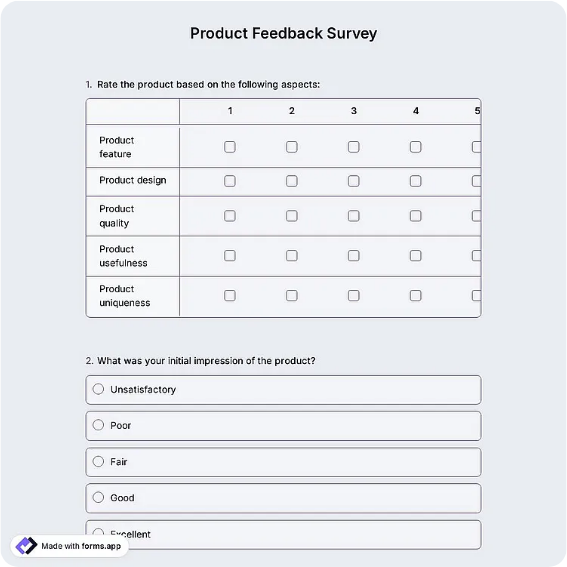
Product survey rating ease of use, features, reliability, and value, plus what users miss most.
Available online on
Download as
- Free PDF and Word downloads for offline use
- Fillable fields you can customize for your business
- Share a link or print copies for in-person sign-ups
- Ready-made online forms on popular form builders
Last updated July 17, 2026. Reviewed by the Online Form Templates team.
About this template
A Product Feedback Survey collects structured input from people who actually use your product, tied to a specific version so answers stay comparable. The layout records the product name or version and how long the respondent has used it, then rates four dimensions on a 1-5 scale: ease of use, feature completeness, reliability and performance, and value for price. Three targeted questions follow: which feature they use most, what is missing or frustrating, and a 0-10 likelihood to recommend.
Software teams running beta programs, hardware makers slipping a card into the box, and app teams checking in after a major release all lean on this structure. Rating design does the heavy lifting here: scoring four separate dimensions instead of one "how do you like it" question tells you where the product is weak, and keeping the same scale across releases turns each survey into a point on a trend line rather than a one-off opinion poll.
How teams use this form day to day
Timing beats wording. Most teams trigger the survey after a usage milestone, such as two weeks of activity or the tenth session, when habits have formed but frustrations are still vivid. Hardware companies print the PDF and include it with the packing slip alongside a QR code to the online version. Every response gets tagged with the product version so that when v3 ships, you can compare its reliability score against v2's rather than against a vague memory.
The two open answers deserve their own routine: "feature used most" feeds the roadmap conversation about what to protect, while "missing or frustrating" gets triaged weekly into bugs, feature requests, and documentation gaps before anyone debates priorities.
Customize fields and branding
The four rating dimensions are placeholders for whatever your product lives or dies by. A hardware team might swap "feature completeness" for battery life; a service business might rate onboarding instead of reliability. Make those edits in the Word download, keep dimension names short so the rating rows stay on one line, and resist adding a fifth or sixth row. Add your logo and a support email in the footer so a frustrated respondent has somewhere to go besides the form.
Common mistakes to avoid
Surveying too early is the big one. Day-one users rate their onboarding, not your product, and the scores will whiplash accordingly. Second, do not let the recommend score become the only number anyone reads; a 7 with "reliability: 2" attached is a churn warning, not a passing grade. Third, keep bug reports out of the survey pipeline. If the frustration answer describes a crash, route it to support immediately instead of letting it age in a spreadsheet until the quarterly review.
Example scenario
A SaaS team surveys 200 beta users two weeks before general availability. Ease of use averages a healthy 4.2, but reliability lands at 2.9, and the open answers cluster around exports failing on large files. The team delays launch by three weeks to fix the export path, reruns the survey with the same questions, and ships once reliability crosses 4.0, with data to show stakeholders why the delay was worth it.
Choosing PDF, Word, or online
Digital products should default to the online links, since responses arrive tagged, charted, and exportable while the PDF version suits physical products, trade-show booths, and training rooms where paper in hand beats a link in email. The Word file is the master you edit each release cycle. Keep question wording frozen between versions whichever format you use; the moment you reword a dimension, the trend line resets.
Typical fields
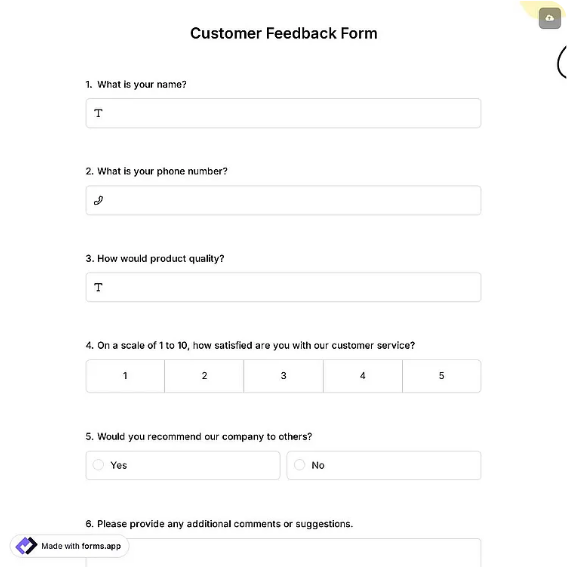
- Product name / version
- How long have you used the product?
- Ease of use (1-5)
- Feature completeness (1-5)
- Reliability / performance (1-5)
- Value for price (1-5)
- Which feature do you use most?
- What is missing or frustrating?
- How likely are you to recommend this product? (0-10)
Best for
- SaaS beta and early-access programs
- In-box cards for hardware products
- Post-release app check-ins
- Annual customer product reviews
When to use PDF vs online
Use the PDF or Word download for in-person sign-ups, fax, or email attachments. Choose an online form when you need automatic notifications, payment integrations, or a shareable link for customers.