 forms.app
Real Estate Contact Form Template
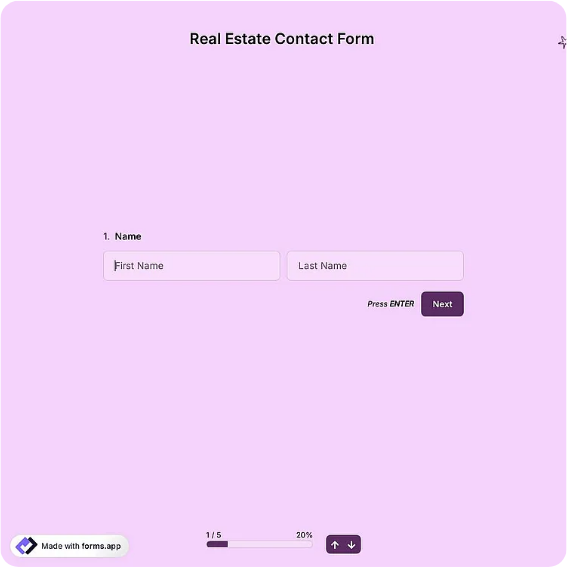
Buyer and seller inquiry form with property type, budget, location, and timeline fields.
Available online on
Download as
- Free PDF and Word downloads for offline use
- Fillable fields you can customize for your business
- Share a link or print copies for in-person sign-ups
- Ready-made online forms on popular form builders
Last updated July 17, 2026. Reviewed by the Online Form Templates team.
About this template
A Real Estate Contact Form turns a vague "I'm interested in a house" into a lead an agent can actually work. It pairs the basics, full name, email, and phone, with the questions that define a property search: buying or selling, property type, preferred locations, budget range, desired move-in timeline, and whether the person is pre-approved for financing.
Agents, brokerages, and property managers use it on listing websites, at open houses, and during walk-in consultations. Capturing budget and timeline on first contact means the first conversation starts with matching properties instead of twenty minutes of intake questions.
How teams use this form day to day
At open houses, a printed stack sits by the sign-in sheet; visitors who want follow-up complete one before leaving. Online, the same form sits under every listing. Each evening the agent sorts new leads by timeline: pre-approved buyers hoping to move within 90 days get a call the next morning, while "just browsing" entries go into a monthly newsletter list.
Brokerages with several agents route by preferred location, sending each lead to whoever farms that neighborhood. Because the form records how the lead arrived, teams can also see which listings and events actually produce clients.
Customize fields and branding
Edit the Word version to match your market: swap the property type options for condos and co-ops in a city practice, or acreage and outbuildings in a rural one. Add an MLS number line if the form accompanies specific listings. Brokerage compliance teams often append a licensing disclosure in the footer, which is easier in Word than in a fixed PDF. On the hosted online version, connect submissions to your CRM so leads never sit unread over a weekend.
Keep the budget field a range with brackets rather than a blank; people are more comfortable circling a bracket than writing a number.
Common mistakes to avoid
Do not omit the buying-or-selling checkbox; a seller lead routed into a buyer drip campaign is usually lost for good. Avoid demanding a street address from sellers on first contact, since many are quietly testing the market. And never let open-house sheets pile up unentered; leads decay within days in a moving market, so set a same-evening entry habit.
Example scenario
An agent hosting a Sunday open house collects nine completed forms. Two mark themselves pre-approved with a 60-day timeline and a budget bracket matching the listing. She calls both Monday morning, books one showing for Tuesday, and adds the remaining seven to a neighborhood alert list segmented by budget. The paper forms are scanned into the transaction file, satisfying her brokerage's record-keeping policy.
Choosing PDF, Word, or online
Print the PDF for open houses and office walk-ins, where paper is faster than a tablet handoff. Use the fillable Word download as your editable master for market-specific fields and compliance text. The online form links open a live real estate contact template on a hosted builder, right when you want after-hours website leads emailed to you automatically. Most agents run paper and online in parallel, feeding one CRM.
Typical fields
- Full name
- Email address
- Phone number
- Buying or selling
- Property type
- Preferred locations
- Budget range
- Move-in timeline
- Pre-approved for financing?
- Additional notes
Best for
- Open house sign-in follow-ups
- Listing page lead capture
- Buyer consultation intake
- Property management inquiries
When to use PDF vs online
Use the PDF or Word download for in-person sign-ups, fax, or email attachments. Choose an online form when you need automatic notifications, payment integrations, or a shareable link for customers.