 forms.app
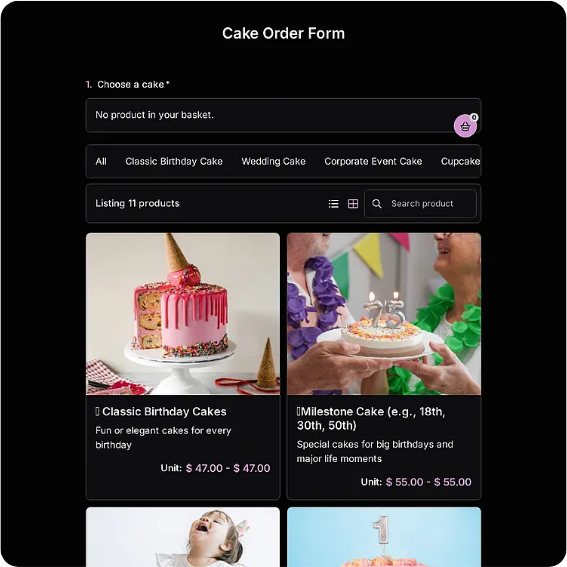
Cake Order Form Template
Custom cake order sheet with servings, flavors, inscription, design notes, and deposit tracking.
Available online on
Download as
- Free PDF and Word downloads for offline use
- Fillable fields you can customize for your business
- Share a link or print copies for in-person sign-ups
- Ready-made online forms on popular form builders
Last updated July 17, 2026. Reviewed by the Online Form Templates team.
About this template
A Cake Order Form exists because custom cakes are commitments made weeks in advance and executed under deadline, with zero tolerance for a misspelled name in piped icing. This template walks through customer name, phone or email, event date, servings or tier count, flavor, filling and frosting, inscription text, allergen notes, pickup or delivery date, and deposit paid, so a consultation ends with every decision on paper.
It fits bakeries taking counter orders, home bakers managing Instagram DMs, wedding cake consultations, and seasonal rushes like graduation and holiday weeks. The common thread is lead time: anything ordered today and collected later needs a written record both sides can point to.
How teams use this form day to day
In a shop, the form is filled during the conversation, not after: the decorator asks each question in order, writes the answer, then has the customer read the inscription line back and initial it. That thirty-second ritual eliminates the single most common cake complaint. The completed sheet gets stapled to any reference photos and filed by pickup date, so Thursday's production list is simply Thursday's folder. Home bakers do the same digitally, typing into the fillable PDF while messaging a customer and saving one file per order.
The event date and pickup date are separate fields on purpose: a Saturday wedding often means a Friday pickup, and conflating the two dates has ruined more than one weekend.
Customize fields and branding
Use the Word download to make the form match how you actually sell. List your standard flavors and fillings as a checklist to speed up ordering, add your deposit policy under the payment fields, and put your cake care instructions on the back before printing double-sided. Home bakers should add their business name and social handle to the header, since completed forms often get photographed and shared. Keep the design notes area generous; sketches and "gold drip, but subtle" annotations need room.
Common mistakes to avoid
Never accept an inscription verbally or from memory; write it exactly, including capitalization, and get the customer to confirm the spelling of names. Do not leave the allergen line blank because "they didn't mention anything": ask directly, because nut and gluten questions surface at the party, not the counter. And record the deposit on the form the moment it is paid, with amount and date. A month later, "I already paid half" conversations are only easy when the sheet says so.
Example scenario
A home baker takes on eleven cakes for graduation weekend. Each order lives on its own completed form, filed in pickup order. Wednesday is a baking day driven by the servings column, Thursday is filling and frosting from the flavor fields, Friday is decoration with each form propped behind its cake, inscription visible while piping. Two customers call with panicked changes; both get resolved in seconds because the form shows exactly what was agreed and when the deposit landed.
Choosing PDF, Word, or online
The fillable PDF is the consultation workhorse: print it for counter conversations or type into it during calls. The Word version is for bakers who want flavor checklists, policies, and branding baked into the layout. The online links open hosted versions on forms.app and Jotform, which suit bakers who take orders through a link in their bio; submissions arrive by email with photo uploads possible, and order cutoffs are enforceable. A common setup is the online form for intake and a printed sheet on the workbench for production.
Typical fields
- Customer name
- Phone / email
- Event date
- Servings / tier count
- Flavor
- Filling and frosting
- Inscription text
- Allergen notes
- Pickup or delivery date
- Deposit paid
Best for
- Bakery counter orders
- Home bakers taking pre-orders
- Wedding cake consultations
- Holiday and graduation rushes
When to use PDF vs online
Use the PDF or Word download for in-person sign-ups, fax, or email attachments. Choose an online form when you need automatic notifications, payment integrations, or a shareable link for customers.