 forms.app
Consent & Waiver Form Templates
Parental Consent Form Template
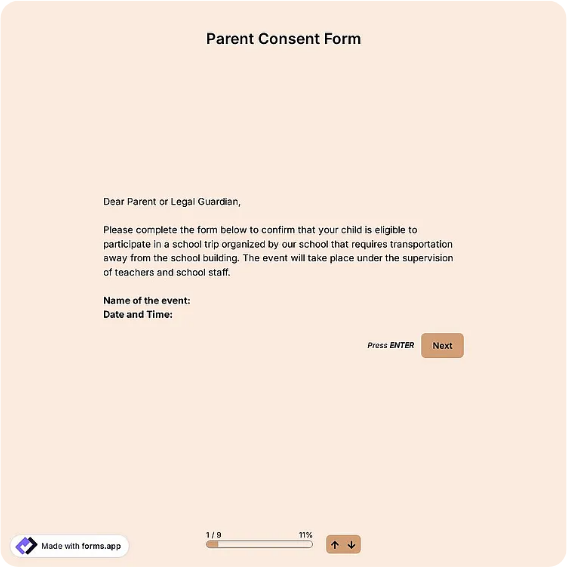
Parental consent form with child and guardian details, activity information, emergency contact, and a dated signature row.
Available online on
Download as
- Free PDF and Word downloads for offline use
- Fillable fields you can customize for your business
- Share a link or print copies for in-person sign-ups
- Ready-made online forms on popular form builders
Last updated July 17, 2026. Reviewed by the Online Form Templates team.
About this template
A Parental Consent Form is a parent or guardian's written permission for a minor to take part in a specific activity — a field trip, a tournament, an after-school club, travel with a chaperone. Schools, rec programs, churches, and youth organizations collect one before the bus leaves, because verbal permission evaporates the moment anything goes wrong. Typical fields include the child's name, date of birth, parent or guardian name, relationship to the child, phone / email, the activity or event, activity dates and location, emergency contact name and phone, special instructions or medical notes, and the parent's signature with date.
What makes the form work is specificity. "I give permission for my child to participate in school activities" protects nobody; "the Grade 6 trip to the Science Center on October 14, traveling by charter bus" tells the parent exactly what they are agreeing to and tells staff exactly what was authorized. This template is a general-purpose layout, not legal advice — have counsel review your wording, particularly for overnight travel or higher-risk activities.
How teams use this form day to day
Teachers send the form home a week before a trip and mark returns against the class list; students without a signed form stay back, no exceptions, which is only enforceable because the rule is visible on the form itself. A youth pastor collects forms at the parent meeting before a retreat and keeps them in the van's document folder with the medical consents. Rec leagues bundle it into season registration so one signature covers scheduled games while separate forms go out for travel tournaments.
The special instructions field earns its space: "gets carsick, seat near front," "no photos on social media," "grandmother picks up." Read them before the activity, not after.
Customize fields and branding
Edit the Word (DOCX) version to describe your activity precisely, add transport details, cost, and what the child should bring, and adjust the consent statement to your organization's name. Many groups add a checkbox row for related permissions — photography, sunscreen application, walking home unaccompanied — so one sheet handles the cluster. The fillable PDF is right for backpack mail; online versions suit programs whose parents lose paper, though a printed copy should still travel with the group.
Common mistakes to avoid
The classic failure is the undated blanket form covering "all activities this year" — parents sign without reading and courts weigh that accordingly; scope each significant trip separately. Second, collecting forms and leaving them at the office: the chaperone on-site needs the emergency contacts, so the folder goes with the group. Third, ignoring the returned form's notes field — if a parent wrote an instruction and staff never read it, the form documents your negligence rather than your diligence.
Example scenario
A middle school plans a two-day robotics competition trip. Forms go home ten days ahead naming dates, hotel, transport, and chaperone ratio. Twenty-six of twenty-eight come back signed; the teacher calls the last two families, gets one form and one decline, and finalizes the roster. On the trip, a student sprains an ankle — the chaperone pulls the form, calls the listed emergency contact directly, and notes the parent's pickup instruction, all inside five minutes.
Choosing PDF, Word, or online
This page offers a printable fillable PDF, an editable Word (DOCX) file, and hosted online parental consent forms. Free downloads fit backpack mail and parent meetings. The online links open ready-made templates on trusted builders when you want submissions tracked automatically against a roster and reminders sent to families who have not signed. Many schools send the link first and keep printed copies for the trip folder.
Typical fields
- Child's name
- Date of birth
- Parent / guardian name
- Relationship to child
- Phone / email
- Activity or event
- Activity date(s) and location
- Emergency contact name and phone
- Special instructions / medical notes
- Parent signature and date
Best for
- School field trips
- Sports and rec programs
- Youth group travel and retreats
- After-school activities
When to use PDF vs online
Use the PDF or Word download for in-person sign-ups, fax, or email attachments. Choose an online form when you need automatic notifications, payment integrations, or a shareable link for customers.