 forms.app
IT Support Request Form Template
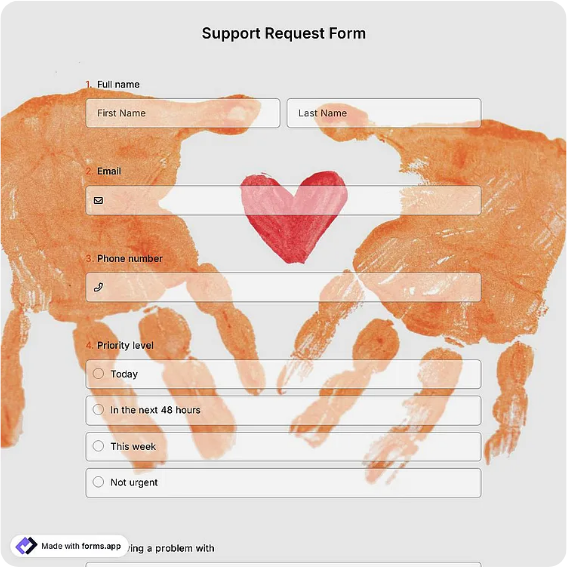
IT support request form with device details, issue description, urgency, and technician resolution log.
Available online on
Download as
- Free PDF and Word downloads for offline use
- Fillable fields you can customize for your business
- Share a link or print copies for in-person sign-ups
- Ready-made online forms on popular form builders
Last updated July 17, 2026. Reviewed by the Online Form Templates team.
About this template
An IT Support Request Form gives a small IT team or a solo technician the same intake discipline a full ticketing system provides, without the software. It captures requester name and contact, department, device or asset tag, operating system, a description of the problem, error messages seen, urgency, and when the issue started, then closes with a technician section for the assigned tech, resolution notes, and completion date. Schools, small offices, manufacturing floors, and nonprofits use it wherever a helpdesk tool would be overkill.
The payoff is triage. When the sheet already says which laptop, which error, and whether the whole team is blocked, the technician can decide in seconds whether this is a password reset or an all-hands outage.
How teams use this form day to day
The common setup is a printed stack near the IT room and a link on the intranet. An employee whose label printer stopped feeding writes the asset tag from the sticker, copies the exact error text, marks it high urgency because shipping is blocked, and drops the form off. The technician works the queue by urgency, records the fix in the resolution block, and files the sheet under the asset tag. Over a few months those filed forms become a service history: the printer that appears five times is due for replacement, not another repair.
Teams also use the started-on date to spot patterns. Three forms citing slow logins the week after a network change point straight to the change, not to three separate mysteries.
Customize fields and branding
In the Word master, add your organization name, swap the category checkboxes for the systems you actually run, and preload the asset-tag format so people know what to look for on the sticker. Some IT leads add a line asking what the user already tried, which cuts repeat restarts, and a checkbox for whether remote access is allowed. The online version can notify the technician instantly and let users attach a screenshot, which is often faster than any written description of an error dialog.
Test it with your least technical colleague. If they cannot find the asset tag or explain the urgency levels, relabel those fields before launch, not after fifty confusing submissions.
Common mistakes to avoid
The biggest one is accepting descriptions like the computer is broken. Prompt for the exact error message and what the user was doing when it happened; those two lines resolve half of all tickets. Second, do not let urgency mean loudness; define it on the form, for example reserving critical for issues blocking more than one person. Third, always complete the resolution section, because an unfilled bottom block turns your service history into guesswork.
Example scenario
A 30-person accounting firm runs IT with one part-time technician. During tax season a staffer submits a form: workstation AT-114, Excel crashes when opening a shared workbook, error text copied verbatim, urgency high, started this morning. The technician recognizes the add-in conflict from a form filed two weeks earlier, applies the same fix in ten minutes, and notes it in the resolution block. Both sheets go in the AT-114 file, and the add-in gets patched firm-wide that weekend.
Choosing PDF, Word, or online
Choose the fillable PDF when requests are handed in physically or when the network being down is precisely the problem, since a paper intake channel survives outages. Keep the Word file to adjust categories and urgency definitions as your systems change. Choose the hosted online form when staff work remotely or you want automatic timestamps and email threads per request. Many small teams run both: paper at the desk, online for everyone else, one queue in the end.
Typical fields
- Requester name
- Department / location
- Phone / email
- Device or asset tag
- Operating system
- Description of issue
- Error message (exact text)
- Urgency level
- Date issue started
- Technician resolution notes
Best for
- Small office helpdesk intake
- School and campus IT support
- Manufacturing floor equipment issues
- Nonprofit and volunteer org tech support
When to use PDF vs online
Use the PDF or Word download for in-person sign-ups, fax, or email attachments. Choose an online form when you need automatic notifications, payment integrations, or a shareable link for customers.