 forms.app
Booking & Reservation Form Templates
Hotel Booking Form Template
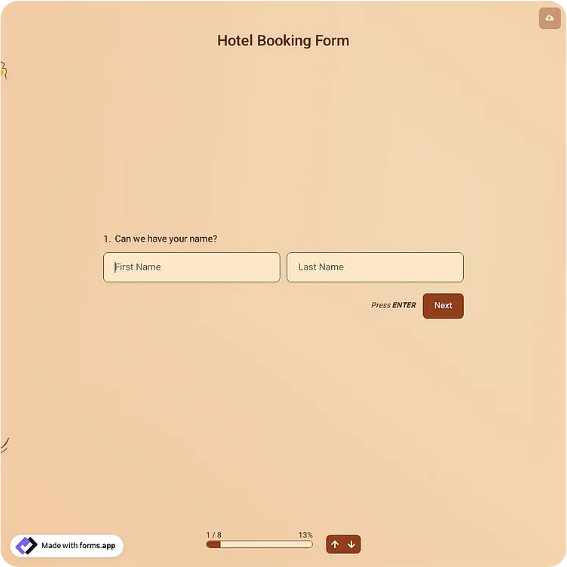
Guest reservation form with check-in and check-out dates, room type, occupancy, and special requests.
Available online on
Download as
- Free PDF and Word downloads for offline use
- Fillable fields you can customize for your business
- Share a link or print copies for in-person sign-ups
- Ready-made online forms on popular form builders
Last updated July 17, 2026. Reviewed by the Online Form Templates team.
About this template
A Hotel Booking Form is the front desk's insurance policy: a reservation captured completely the first time, with nothing left to reconstruct from a hurried phone call. The template covers guest name, phone and email, check-in and check-out dates, adults and children, room type, number of rooms, estimated arrival time, special requests, and a payment guarantee line for the card or deposit that holds the room.
It is designed for properties that take reservations directly rather than only through online travel agencies: independent hotels, inns, bed and breakfasts, guesthouses, and vacation rentals. Direct bookings are the most profitable ones a small property gets, and they deserve better than a notepad by the phone.
How teams use this form day to day
Reception staff keep the fillable PDF open during calls, typing while the guest talks and reading the dates back before hanging up; that read-back catches the transposed check-in date that would otherwise surface at the worst moment. Emailed inquiries get the Word or PDF version attached, so the guest's reply arrives structured instead of as prose the desk must interpret. Completed forms feed the room diary or property management system in one sitting, and the paper or file is kept until checkout in case anything about the booking is questioned.
The occupancy split matters more than new staff assume: two adults and two children is a different room assignment, rate, and breakfast count than four adults, and the form forces that distinction at booking time.
Customize fields and branding
In the Word version, replace the generic room-type options with your actual categories: garden double, lake-view suite, family loft. Add your property's header, check-in window, and cancellation policy under the guarantee field so the guest sees the rules on the same page they book from. Seasonal properties should add a line for how the guest heard about them; on a direct-booking form that answer is marketing data you cannot get from an OTA. Keep the special requests area roomy, since accessibility needs and anniversary notes are where small properties win reviews.
Common mistakes to avoid
The costliest error is an unguaranteed reservation: a room held on a name alone produces no-shows on your busiest nights, so treat the payment guarantee line as mandatory. Second, never record a stay as one date plus a number of nights; ambiguous "3 nights from the 12th" bookings create off-by-one disputes, which is why the form insists on explicit check-in and check-out dates. Third, read special requests at booking, not at arrival; a ground-floor room request discovered when the guest is standing in the lobby is a request denied.
Example scenario
A nine-room inn takes a phone reservation for a family of five during festival week. The owner fills the form during the call: two rooms, split occupancy, arrival after 9 p.m., one child's severe pet allergy in special requests, and a card number on the guarantee line. Because the arrival time was captured, the late check-in instructions go out that afternoon, and the allergy note reroutes the family away from the room where the resident cat sleeps.
Choosing PDF, Word, or online
Use the fillable PDF at the desk and on the phone, where staff complete it in real time. Use the Word file to build your branded master with real room categories and policies. The online version, through the forms.app or Jotform links, becomes your website's booking-request page: guests submit dates and preferences from any device, and you confirm availability by reply. Many small properties run exactly that pair, an online request form for the website and the same layout printed at reception.
Typical fields
- Guest full name
- Phone / email
- Check-in date
- Check-out date
- Number of adults
- Number of children
- Room type
- Number of rooms
- Estimated arrival time
- Special requests
Best for
- Independent hotels and inns
- Bed and breakfast bookings
- Guesthouses and vacation rentals
- Group and event room blocks
When to use PDF vs online
Use the PDF or Word download for in-person sign-ups, fax, or email attachments. Choose an online form when you need automatic notifications, payment integrations, or a shareable link for customers.