 forms.app
Wedding RSVP Form Template
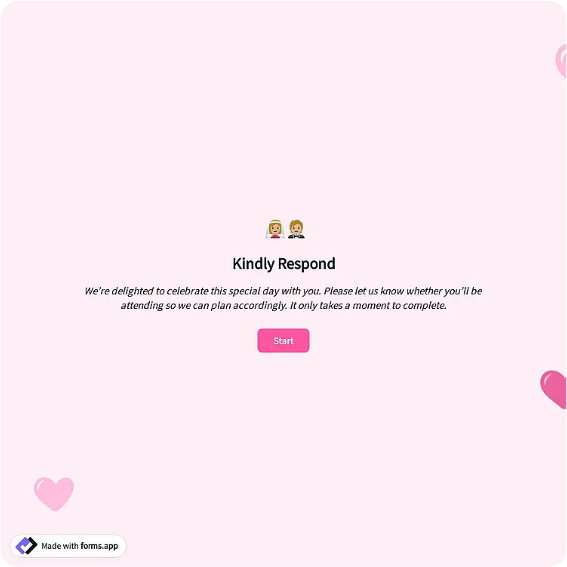
Formal wedding reply card with accepts/declines, seats reserved, entree choice, and a note to the couple.
Available online on
Download as
- Free PDF and Word downloads for offline use
- Fillable fields you can customize for your business
- Share a link or print copies for in-person sign-ups
- Ready-made online forms on popular form builders
Last updated July 17, 2026. Reviewed by the Online Form Templates team.
About this template
A Wedding RSVP Form gives couples, wedding planners, and reception venues the exact numbers a wedding runs on: seats, entrees, and allergies, collected guest by guest before the caterer's deadline. Formal wedding reply card with accepts/declines, seats reserved, entree choice, and a note to the couple.
The card keeps the traditional wording while capturing details a planner can actually total. Common fields include guest name(s), joyfully accepts or regretfully declines, number of seats reserved, entree choice per guest, dietary restrictions or allergies, rehearsal dinner attendance, a song request, and a message to the couple. It works for wedding invitations, rehearsal dinners, engagement parties, and destination weddings where replies arrive from several countries.
How teams use this form day to day
Couples mail the printed card with a stamped return envelope inside each invitation, or print the QR code of the online version on the details insert. As replies come back, the seats-reserved number goes straight into the seating chart spreadsheet, and the entree checkboxes become the caterer's beef, chicken, and vegetarian totals — the three numbers every reception contract asks for.
Planners managing the list track the reply-by date, usually three to four weeks before the wedding, and chase stragglers in one batch. Because each card names the household it covers, follow-up calls are specific — did the Garcias want two seats or four — instead of a general plea on social media.
Customize fields and branding
Open the Word download to match the card to your invitation suite: names, wedding date, fonts, and the reply-by line. Swap the entree list for your actual menu, add a kids-meal option, or remove the rehearsal dinner line for guests not invited to it — many couples print two versions, one per insert list. The song request line is optional but reliably fills the dance floor playlist.
If some guests are traveling, add an accommodation or shuttle question rather than sending a second form later. One card, everything the planner needs.
Common mistakes to avoid
The most expensive mistake is a missing seats-reserved field, which invites uninvited plus-ones — write the number you are offering and let guests confirm it. Second, entree choices without a per-guest structure produce replies like two of us, one chicken, which the caterer cannot seat. Third, skipping the reply-by date pushes your final count past the venue's cutoff; put the date in bold and give yourself a week of buffer before the real deadline.
Example scenario
A couple with 120 invitations mails printed cards to older relatives and puts a QR code on everyone else's invitation. By the reply date they have 96 acceptances: 41 beef, 38 chicken, 17 vegetarian, plus two gluten-free flags the caterer notes by table. The planner reads the final numbers off one list, and the song requests fill the first hour of the reception playlist.
Choosing PDF, Word, or online
This page provides a printable fillable PDF, an editable Word (DOCX) card, and hosted online form links. Print the PDF for a classic mailed reply card, restyle the Word version to your invitation suite, and use the online form behind a QR code for guests who reply from their phones. Most modern weddings run both and merge replies into a single guest list.
Typical fields
- Guest name(s)
- Joyfully accepts / regretfully declines
- Number of seats reserved
- Entree choice (beef / chicken / vegetarian)
- Dietary restrictions or allergies
- Attending rehearsal dinner (yes / no)
- Song request
- Message to the couple
Best for
- Wedding invitations
- Rehearsal dinners
- Engagement parties
- Destination weddings
When to use PDF vs online
Use the PDF or Word download for in-person sign-ups, fax, or email attachments. Choose an online form when you need automatic notifications, payment integrations, or a shareable link for customers.