Printable vs. Online Forms: Which Should You Use?
Paper forms still win in some rooms; online forms win almost everywhere else. Here is an honest comparison so you stop defaulting to the wrong format.
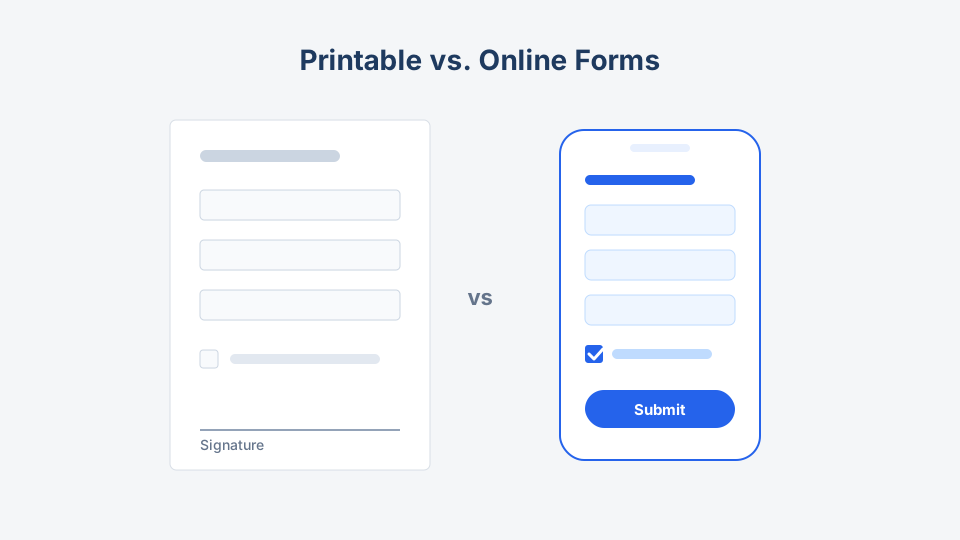
Every template on this site comes in two formats: a downloadable PDF/Word file you can print, and links to hosted online versions you can publish in minutes. People usually pick whichever they saw last. That is how gyms end up retyping 400 handwritten waivers into a spreadsheet, and how community centers end up asking seniors to scan QR codes.
The format is a workflow decision. Here is how to make it deliberately.
The short version
| Factor | Printable (PDF/Word) | Online (hosted form) |
|---|---|---|
| Setup time | Print and go | 10–30 min to publish |
| Cost per response | Paper, ink, storage | Usually free at low volume |
| Data entry | Manual retyping | Automatic |
| Validation | None — bad handwriting wins | Required fields, formats, logic |
| Signatures | Wet ink, universally accepted | E-signature, valid in most cases |
| Works offline / no device | Yes | Only with special apps |
| Reach | One room at a time | Anyone with the link |
| Edits after launch | Reprint everything | Instant |
| Accessibility | Depends on print size | Screen readers, zoom, autofill |
| Audit trail | Physical filing | Timestamps, IP, export logs |
If you only remember one line: paper wins the room, online wins the internet.
When printable forms genuinely win
1. The submission happens in person, right now
A walk-in customer at a front desk, a parent at a tournament check-in table, a patient in a waiting room. Handing over a clipboard beats asking someone to type on their phone with a queue behind them. This is why our consent form templates get downloaded as PDFs more than any other category.
2. A wet signature is expected
Legally, e-signatures hold up for most agreements. Practically, some venues, schools, and insurers still want ink. A printed photo consent form with a signature line ends that argument before it starts.
3. No reliable devices or connectivity
Outdoor events, workshops in older buildings, field operations. Paper does not need Wi-Fi, chargers, or a backup plan.
4. The form doubles as a physical record
Some organizations file the paper itself — signed waivers kept for the statute of limitations, permission slips stapled to trip rosters. If the paper is the record, print it properly the first time.
When online forms win (which is most of the time)
1. Volume above “a stack”
The math is blunt. Retyping one handwritten form takes 2–4 minutes. At 200 responses, that is a full workday of data entry — plus transcription errors. An online registration form delivers the same 200 responses as a clean spreadsheet, spelled the way respondents spelled it.
2. You need the data to be usable
Online forms validate as people type: required fields stay required, emails must look like emails, dates come from a picker instead of six handwriting styles. If the submission feeds a mail merge, a CRM, or an attendee list, validation is not a luxury.
3. Your audience is not in the room
An RSVP form linked in an invitation reaches every guest wherever they are, reminds you who has not answered, and updates your headcount in real time. Paper cannot compete outside the building.
4. The form will change
Menu options change, a question was confusing, legal wants a new clause. Online, you edit once and every future respondent sees the fix. On paper, you own a box of obsolete forms.
The real decision: follow the submission
Ask where the submission is born and where it must end up.
- Born in person, ends on paper → print the PDF. Done.
- Born in person, ends in a spreadsheet → online form on a tablet at the desk, with a small paper backup stack.
- Born remotely, ends anywhere → online, no debate.
- Born both places → hybrid (next section).
Running a hybrid without chaos
Most real organizations need both. The pattern that works:
- Publish the online form first and treat it as the single source of truth.
- Print the matching PDF from the same template so field names and order are identical — every template page here pairs the two formats for exactly this reason.
- Enter paper submissions into the online form yourself (or its spreadsheet) within a day. Identical field order makes this fast.
- Mark entered sheets with a highlighter strike or “entered” stamp. Duplicates come from ambiguity, not volume.
- Keep paper only if the signature matters. Otherwise, shred on a schedule and let the digital record stand.
An event registration desk is the classic case: 80% register online in advance, 20% fill out the printed stack at the door, and one volunteer keys them in before lunch.
Cost check: the printer is not free either
Online form builders are effectively free at typical volumes — several offer unlimited responses on free plans, which we compare in the best form builder tools. Paper costs are small per sheet but they compound: printing, clipboards, pens that walk away, filing space, and above all staff time for data entry. For anything past roughly 50 responses, labor makes paper the expensive option, not the cheap one.
Design changes by format
Whichever you choose, adapt the layout:
- Print: bigger boxes for handwriting, checkboxes instead of dropdowns, a signature and date line, and a “for office use” corner. Never shrink a web layout onto paper.
- Online: one column, mobile-first, logical field order, and only the fields you will actually use. Our form design best practices covers the completion-rate side.
Key takeaway
Default to online for anything with volume, distance, or downstream data — and reach for the printable version when ink, in-person flow, or offline reality demands it. Since every template here ships both ways, the safest move is often to set up both from the same template so the paper and the pixels always ask the same questions.