 forms.app
Interview Evaluation Form Template
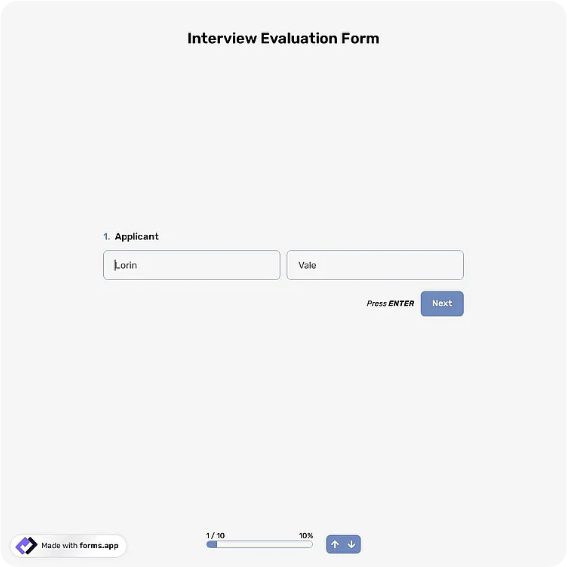
Interview scorecard rating skills, experience, communication, and culture fit with a hire recommendation.
Available online on
Download as
- Free PDF and Word downloads for offline use
- Fillable fields you can customize for your business
- Share a link or print copies for in-person sign-ups
- Ready-made online forms on popular form builders
Last updated July 17, 2026. Reviewed by the Online Form Templates team.
About this template
An Interview Evaluation Form is a scorecard that forces every interviewer to judge the same candidate against the same criteria before comparing notes. It records the candidate name, position, interviewer, and interview date, then rates dimensions like relevant experience, technical or job-specific skills, communication, problem solving, culture and team fit, and motivation on a 1-5 scale, ending with written strengths, concerns, an overall recommendation from strong hire to no hire, and the interviewer's signature. Hiring managers, HR coordinators, and panel interviewers use it for everything from retail hiring days to engineering loops.
Beyond better decisions, the completed forms are documentation. When a rejected candidate asks why, or an audit reviews hiring practices, a stack of scorecards tied to job-related criteria is the answer that holds up.
How teams use this form day to day
Each panelist gets a blank form before the interview, ideally with the criteria weighted for the role in advance. Interviewers score independently and write their recommendation before the debrief, which is the single habit that most improves hiring: it prevents the first confident voice in the room from dragging everyone else's scores. In the debrief, the hiring manager compares forms, digs into rows where scores diverge by two or more points, and records the final decision. HR files the set with the requisition.
High-volume hiring, such as seasonal retail, uses the same form in a compressed loop: one interviewer, six criteria, a decision box, fifteen minutes per candidate, and a consistent record for every applicant seen.
Customize fields and branding
Adapt the Word master per role: an accounting hire might swap culture fit for attention to detail, while a support role weights communication double. Add your company name, the requisition number, and, if you run structured interviews, the specific questions each rating should draw on. Legal-minded HR teams add a reminder line that notes must relate to job requirements. The online version can aggregate panel scores automatically and attach each scorecard to the candidate's record in your tracking spreadsheet or ATS export.
Keep the recommendation options blunt. A scale that includes maybe as a middle option collects maybes; strong hire, hire, no hire, and strong no hire forces a position the debrief can work with.
Common mistakes to avoid
The most damaging is writing comments about the person rather than the evidence, such as noting nervousness instead of how they handled the pricing scenario. Train interviewers to cite answers, not impressions. Second, do not let panelists compare scores before everyone has submitted; independent first, aligned second. Third, avoid leaving the concerns box empty on high scores, since a hire with zero recorded reservations reads as an unexamined one when the debrief revisits it later.
Example scenario
A logistics company interviews three candidates for a dispatch supervisor role with a three-person panel. For one candidate, two panelists score problem solving 4 and one scores it 2. The debrief surfaces that the low scorer asked the scheduling-conflict question and got a shallow answer the others never probed. The panel adjusts the loop so that scenario goes to every remaining candidate, and the final hire's signed scorecards, unanimous 4s on the re-run question, go into the requisition file.
Choosing PDF, Word, or online
Print the fillable PDF for on-site panels; paper keeps interviewers off keyboards and present with the candidate, and signatures are immediate. Use the Word file to build role-specific variants you reuse across requisitions. Choose the hosted online form for remote interviews and distributed panels, where scores need to be submitted before the debrief call and tallied without retyping. Many teams print for finals and use the online version for phone screens, keeping one criteria set across both.
Typical fields
- Candidate name
- Position applied for
- Interviewer name
- Interview date
- Rating table: experience, job-specific skills, communication, problem solving, culture fit, motivation (1-5)
- Key strengths observed
- Concerns / red flags
- Overall recommendation (strong hire to no hire)
- Interviewer signature
Best for
- Panel interview scorecards and debriefs
- High-volume and seasonal hiring days
- Phone screen documentation
- Compliant hiring records for HR files
When to use PDF vs online
Use the PDF or Word download for in-person sign-ups, fax, or email attachments. Choose an online form when you need automatic notifications, payment integrations, or a shareable link for customers.