 forms.app
Scholarship Application Form Template
Student application with academic record, activities, financial need, and recommendation contacts.
Available online on
Download as
- Free PDF and Word downloads for offline use
- Fillable fields you can customize for your business
- Share a link or print copies for in-person sign-ups
- Ready-made online forms on popular form builders
Last updated July 17, 2026. Reviewed by the Online Form Templates team.
About this template
A Scholarship Application Form gives scholarship committees, community foundations, and school award offices a single document that puts every candidate's record in the same order for fair review. Student application with academic record, activities, financial need, and recommendation contacts.
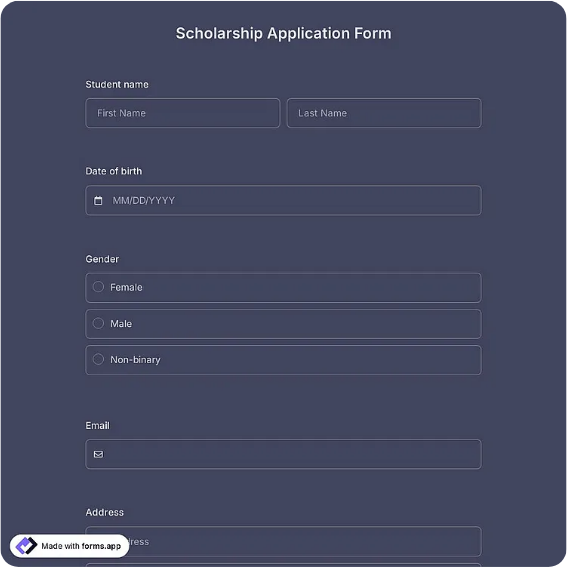
Instead of a folder of mismatched PDFs and email attachments, each applicant submits the same structured sheet. Common fields include student full name, phone / email, school or institution, GPA, field of study, expected graduation year, extracurricular activities, financial need summary, personal statement, and recommendation contacts. That works for university award offices, community foundations, service club scholarships, and employer-sponsored programs.
How teams use this form day to day
Committees usually distribute the form through school counselors or a website link with a hard deadline, then score applications against a rubric. Because GPA, major, and activities appear in fixed positions, reviewers spend their time on the essay and need statement instead of hunting for basics — and a five-person committee can split a stack of forty applications without anyone reformatting a thing.
The recommendation table earns its space at verification time. When a finalist emerges, the coordinator already has each reference's name, relationship, and contact information on the form itself, so confirmation calls happen the same afternoon instead of after another email round with the student.
Customize fields and branding
Edit the Word download to add your organization's name, the award amount and cycle year, and eligibility notes — county residency, minimum GPA, or intended field. If your committee scores blind, move identifying details to a cover page you can detach before review. The fillable PDF suits counselors who print copies for a scholarship night or college fair table.
One practical tip: state your essay length and attachment rules directly on the form, next to the personal statement field. Applicants follow instructions that sit beside the box far more reliably than instructions in a separate email.
Common mistakes to avoid
The most frequent problem is an unbounded essay field — without a stated word limit you will get everything from two sentences to six pages, which makes scoring inconsistent. Second, ask for expected graduation year, not just current grade, so multi-year awards can be scheduled correctly. Third, keep the financial need question specific (household income range or FAFSA status) rather than an open box that students either skip or overshare in.
Example scenario
A rotary club awarding two $1,500 scholarships shares the form through three high school counselors in February with a March 31 deadline. Twenty-eight applications come back in identical format. The committee scores academics and activities from page one, essays from page two, and phones the listed recommenders for five finalists — the entire review takes two meetings.
Choosing PDF, Word, or online
This page includes a fillable PDF, an editable Word (DOCX) file, and links to hosted online forms. PDFs suit printed packets at counselor offices; the Word file is the master you re-brand each award cycle; online versions collect typed submissions with attachments and timestamps, which simplifies deadline enforcement. Many programs accept paper from local schools and online from everyone else.
Typical fields
- Student full name
- Phone / email
- School / institution
- GPA
- Field of study / major
- Expected graduation year
- Extracurricular activities and honors
- Financial need summary
- Personal statement
- Recommendation contacts
Best for
- University scholarship offices
- Community foundations
- Service club and memorial awards
- Employer-sponsored scholarships
When to use PDF vs online
Use the PDF or Word download for in-person sign-ups, fax, or email attachments. Choose an online form when you need automatic notifications, payment integrations, or a shareable link for customers.