 Jotform
Payment & Donation Form Templates
Pledge Form Template
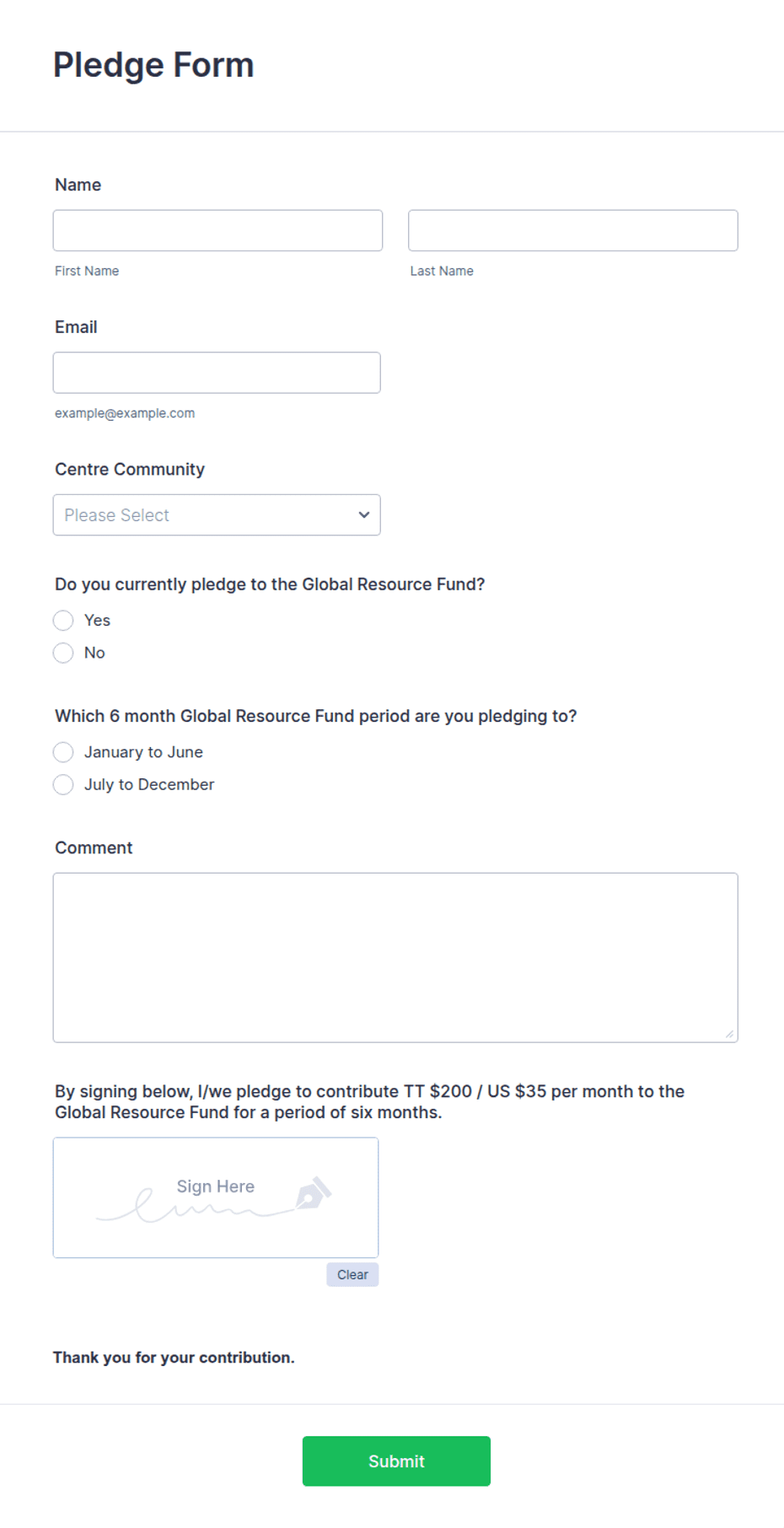
Pledge commitment form with total amount, payment schedule, fund designation, and employer matching fields for campaigns.
Available online on
Download as
- Free PDF and Word downloads for offline use
- Fillable fields you can customize for your business
- Share a link or print copies for in-person sign-ups
- Ready-made online forms on popular form builders
Last updated July 17, 2026. Reviewed by the Online Form Templates team.
About this template
A Pledge Form records a promise to give over time rather than a payment made today. Capital campaigns, walkathons, church stewardship drives, and alumni funds all run on pledges, and the form is what turns a hallway conversation into a trackable commitment. Typical fields include donor name, address, phone / email, total pledge amount, a payment schedule, first payment date, payment method, campaign or fund designation, an employer matching gift question, and a signature with date.
The schedule section is what separates a pledge form from a donation form. A $1,200 pledge might arrive as one check, twelve monthly gifts, or four quarterly payments — and your bookkeeping, reminders, and campaign projections depend on knowing which. The employer matching field routinely doubles gifts for free; most donors simply never think to check whether their company matches.
How teams use this form day to day
During a stewardship campaign, forms go out in envelopes and come back over several weeks; the finance team logs each pledge with its schedule and sets reminder dates for installments. At a walkathon, sponsors pledge per lap or a flat amount on the sheet, and volunteers collect after the event using the contact details captured up front. Campaign chairs use the running total of signed pledges — not cash received — to report progress against the goal, which is exactly what this form makes possible.
Enter pledges into your tracking spreadsheet or donor database as they arrive, and reconcile fulfilled installments against the schedule monthly. Unfulfilled pledges are not awkward to chase when the signed form states the plan the donor chose.
Customize fields and branding
Use the Word (DOCX) download to add your organization's name and logo, list your active funds in the designation field (building fund, scholarship, general), and adjust the schedule options to match your campaign length. Some organizations add a line for "pledge fulfilled by" date on multi-year campaigns. The fillable PDF suits mailed appeals and pew racks; online versions can send automatic installment reminders through your form builder's integrations.
Common mistakes to avoid
Never leave the first payment date blank — a pledge without a start date drifts indefinitely. Do not conflate the total pledge with the installment amount; label both clearly or you will book $100 pledges as $1,200. And skip card numbers entirely on the printed form: record the intended method and collect payment through your normal secure channel when each installment comes due.
Example scenario
A congregation runs a roof repair campaign with a $60,000 goal. Over three Sundays, 85 households return pledge forms: totals range from $120 to $5,000, most on monthly schedules starting the first of the next month. The treasurer logs each pledge and schedule, reports $58,400 committed at the congregational meeting, and sends quarterly statements showing each household its remaining balance — all sourced from the signed forms.
Choosing PDF, Word, or online
This page offers a printable fillable PDF, an editable Word (DOCX) file, and a hosted online pledge form. Free downloads work for mailings, pew racks, and event clipboards. The online link opens a ready-made template on a trusted builder when you want pledges submitted remotely with confirmation emails and a spreadsheet you can track fulfillment in. Campaigns typically use paper during in-person pushes and the link for everyone who was not in the room.
Typical fields
- Donor name
- Address
- Phone / email
- Total pledge amount ($)
- Payment schedule
- First payment date
- Payment method
- Campaign / fund designation
- Employer matching gift
- Signature and date
Best for
- Capital campaigns
- Walkathons and pledge drives
- Church stewardship campaigns
- Alumni and annual funds
When to use PDF vs online
Use the PDF or Word download for in-person sign-ups, fax, or email attachments. Choose an online form when you need automatic notifications, payment integrations, or a shareable link for customers.